AI-Powered Development: Mastering the Art of Efficient Coding with AI Assistants
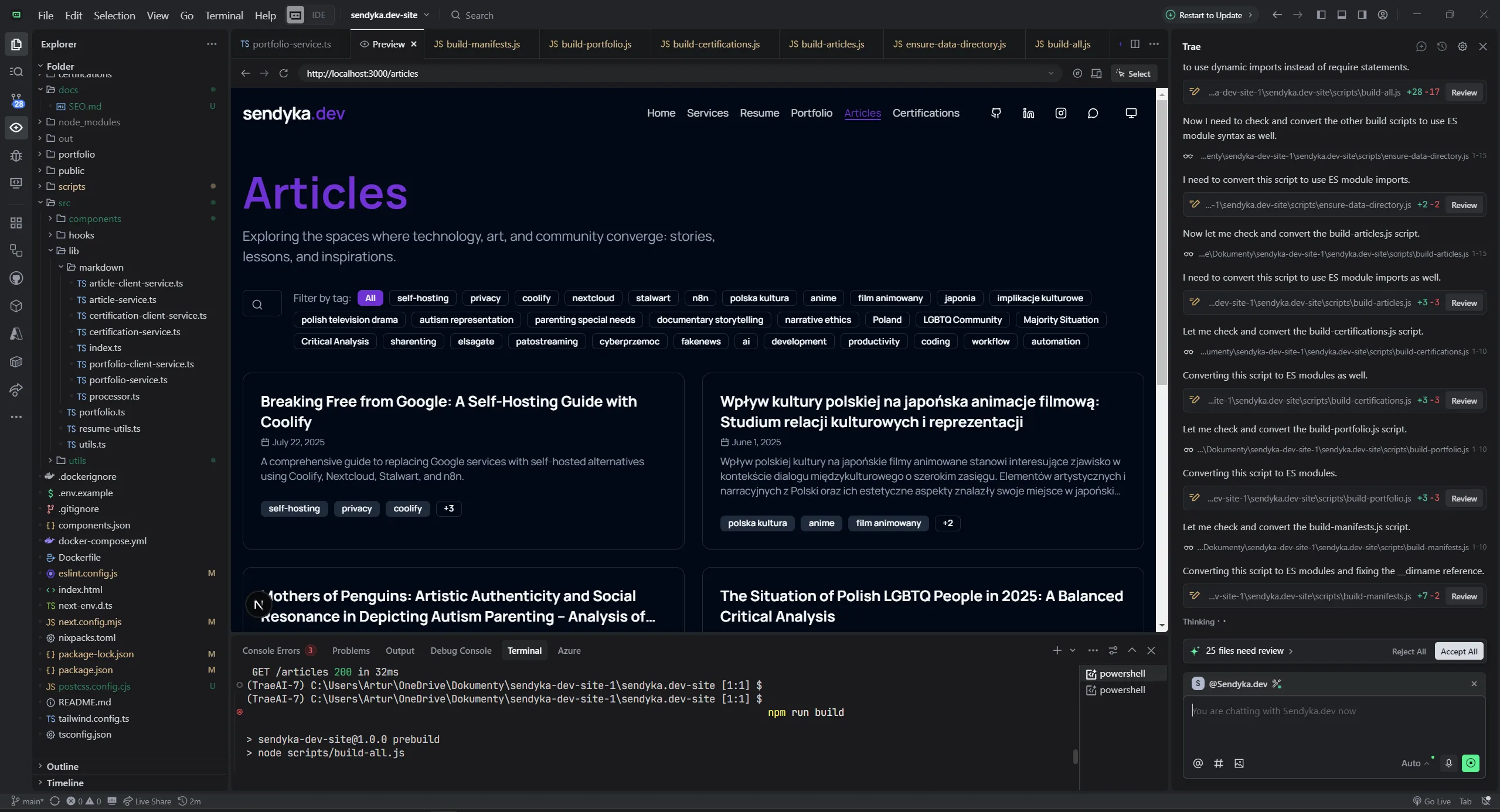
AI-Powered Development: Mastering the Art of Efficient Coding with AI Assistants
The landscape of software development has been revolutionized by AI assistants. From GitHub Copilot to Claude and ChatGPT, these tools have transformed how we write, debug, and optimize code. However, many developers are still scratching the surface of what's possible. This comprehensive guide will show you how to integrate AI into your development workflow for maximum efficiency and speed. I wouldn't recommend any of specific tools like AI powered IDE's or AI Chat apps, because all things are developing so fast and thats your invention to be updated about current changes around LLM models and tools.
Why AI-Powered Development?
AI assistants offer unprecedented advantages:
- Speed Acceleration - Write code 3-5x faster with intelligent suggestions
- Quality Enhancement - Catch bugs and suggest optimizations in real-time
- Learning Amplification - Understand new technologies and patterns quickly
- Context Awareness - Get suggestions tailored to your specific codebase
- Documentation Generation - Automatically create comprehensive documentation
- Refactoring Assistance - Modernize legacy code with confidence
Effective Prompting Strategies
1. Context-Rich Prompts
Instead of:
Create a login function
Use:
Create a secure login function for a Next.js app using:
- TypeScript
- NextAuth.js for authentication
- Prisma for database queries
- Zod for input validation
- Return type should include user data and session token
- Handle rate limiting and CSRF protection
2. Incremental Development
Break complex tasks into smaller, manageable chunks:
1. "Create the basic user interface for a todo app with React and Tailwind"
2. "Add state management using Zustand for the todo list"
3. "Implement CRUD operations with optimistic updates"
4. "Add drag-and-drop functionality using react-beautiful-dnd"
3. Code Review and Optimization
Review this React component for:
- Performance optimizations
- Accessibility improvements
- TypeScript best practices
- Security vulnerabilities
- Code readability

[paste your code here]
4. Architecture Guidance
I'm building a real-time chat application with:
- 10,000+ concurrent users
- Message persistence
- File sharing capabilities
- Mobile and web clients

Suggest an optimal architecture including:
- Backend technology stack
- Database design
- Real-time communication strategy
- Scalability considerations
- Security measures
Integration Patterns for Maximum Speed
1. The AI-First Workflow
Step 1: Planning with AI
I need to build a feature that [describe requirement].
Break this down into:
1. Technical requirements
2. Implementation steps
3. Potential challenges
4. Testing strategy
5. Estimated timeline
Step 2: Rapid Prototyping
Generate a working prototype for [feature] with:
- Minimal viable implementation
- Mock data where needed
- Basic styling
- TypeScript interfaces
- Unit test structure
Step 3: Iterative Refinement
Improve this code by:
- Adding error handling
- Optimizing performance
- Enhancing user experience
- Adding comprehensive tests
- Improving documentation
2. The Pair Programming Approach
Use AI as your coding partner:
I'm working on [specific problem]. Let's pair program this:
1. You suggest the approach
2. I'll implement the core logic
3. You review and suggest improvements
4. We iterate until optimal

Current context: [describe your current code/situation]
3. The Learning Accelerator
I need to learn [new technology/framework] quickly for a project.
Create a learning path with:
1. Core concepts I must understand
2. Hands-on exercises
3. Real-world examples
4. Common pitfalls to avoid
5. Best practices
6. Integration with my existing stack: [list technologies]
Advanced Prompting Techniques
1. Role-Based Prompting
Act as a senior software architect with 15 years of experience.
Review my system design for [project] and provide:
- Architectural improvements
- Scalability concerns
- Security recommendations
- Technology alternatives
- Implementation roadmap
2. Constraint-Driven Development
Create a solution that must:
- Work with legacy PHP 7.4
- Integrate with existing MySQL database
- Support 1000+ concurrent users
- Be deployable on shared hosting
- Have zero downtime during updates
- Budget constraint: $100/month hosting
3. Error-Driven Learning
I'm getting this error: [paste error message]

Context:
- Framework: [framework]
- What I was trying to do: [description]
- Code that caused the error: [code snippet]

Provide:
1. Root cause analysis
2. Step-by-step fix
3. Prevention strategies
4. Related best practices
Performance Optimization with AI
1. Code Analysis
Analyze this code for performance bottlenecks:

[paste code]

Focus on:
- Time complexity
- Memory usage
- Database query efficiency
- Network requests
- Rendering performance
- Bundle size impact

Provide specific optimization recommendations with before/after examples.
2. Bundle Optimization
Optimize this webpack configuration for:
- Faster build times
- Smaller bundle sizes
- Better caching strategies
- Improved tree shaking
- Code splitting optimization

Current config: [paste webpack.config.js]
Target: Production deployment with <100KB initial bundle
3. Database Query Optimization
Optimize these database queries:

[paste queries]

Database: PostgreSQL
Expected load: 10,000 requests/minute
Current performance issues: [describe issues]

Provide:
1. Optimized queries
2. Index recommendations
3. Caching strategies
4. Query execution plans
Testing and Quality Assurance
1. Test Generation
Generate comprehensive tests for this function:

[paste function]

Include:
- Unit tests (Jest)
- Integration tests
- Edge cases
- Error scenarios
- Performance tests
- Mock strategies
- Test data factories
2. Bug Detection
Analyze this code for potential bugs:

[paste code]

Check for:
- Memory leaks
- Race conditions
- Null pointer exceptions
- Type errors
- Security vulnerabilities
- Logic errors
- Performance issues
3. Code Quality Assessment
Evaluate this codebase for:
- Code maintainability
- SOLID principles adherence
- Design patterns usage
- Documentation quality
- Test coverage
- Security best practices
- Performance considerations

Provide a detailed report with improvement suggestions.
Documentation and Knowledge Management
1. Automated Documentation
Generate comprehensive documentation for this API:

[paste API code]

Include:
- OpenAPI/Swagger specification
- Usage examples
- Error handling guide
- Authentication details
- Rate limiting information
- SDK examples in multiple languages
2. Code Comments
Add meaningful comments to this complex algorithm:

[paste code]

Comment style:
- Explain the 'why', not just the 'what'
- Include time/space complexity
- Mention edge cases
- Reference algorithms or papers if applicable
- Use JSDoc format for functions
3. README Generation
Create a comprehensive README for this project:

Project: [description]
Tech stack: [list technologies]
Target audience: [developers/users]

Include:
- Clear project description
- Installation instructions
- Usage examples
- API documentation
- Contributing guidelines
- License information
- Troubleshooting section
Best Practices and Pitfalls
Do's
✅ Provide Context: Always include relevant context about your project, tech stack, and constraints
✅ Iterate Incrementally: Break complex tasks into smaller, manageable pieces
✅ Verify AI Suggestions: Always review and test AI-generated code
✅ Learn from AI: Use AI explanations to improve your understanding
✅ Customize Prompts: Develop prompts specific to your domain and coding style
Don'ts
❌ Blind Copy-Paste: Never use AI code without understanding it
❌ Skip Testing: AI code still needs thorough testing
❌ Ignore Security: Always review AI suggestions for security implications
❌ Over-Rely: Maintain your coding skills and critical thinking
❌ Ignore Licensing: Be aware of potential licensing issues with AI-generated code
Measuring AI Integration Success
Key Metrics
-
Development Speed
- Lines of code per hour
- Feature completion time
- Bug fix duration
-
Code Quality
- Bug density
- Code review feedback
- Technical debt accumulation
-
Learning Velocity
- Time to proficiency with new technologies
- Knowledge retention
- Problem-solving speed
Tracking Tools
// Simple productivity tracker
const trackCodingSession = {
  startTime: Date.now(),
  aiAssisted: true,
  linesWritten: 0,
  bugsFixed: 0,
  featuresCompleted: 0,

  endSession() {
    const duration = Date.now() - this.startTime;
    const productivity = this.linesWritten / (duration / 3600000); // lines per hour

    console.log(`Productivity: ${productivity} lines/hour`);
    console.log(`AI Assistance: ${this.aiAssisted ? 'Yes' : 'No'}`);
  }
};
Future of AI-Powered Development
Emerging Trends
- Autonomous Coding: AI agents that can implement entire features
- Real-time Collaboration: AI assistants that understand team context
- Predictive Development: AI that anticipates future requirements
- Code Evolution: AI that automatically updates code for new standards
- Natural Language Programming: Writing software through conversation
Preparing for the Future
- Stay Updated: Follow AI development tools and techniques
- Experiment Continuously: Try new AI tools and approaches
- Build AI Literacy: Understand how AI models work
- Develop Prompt Engineering Skills: Master the art of AI communication
- Maintain Human Skills: Keep your fundamental programming abilities sharp
Conclusion
AI-powered development isn't about replacing developers—it's about amplifying human creativity and efficiency. By mastering effective prompting techniques, integrating AI tools into your workflow, and following best practices, you can dramatically increase your productivity while maintaining code quality.
The key is to view AI as a powerful collaborator that enhances your capabilities rather than a replacement for your skills. Start small, experiment with different approaches, and gradually build your AI-powered development workflow.
Remember: the goal isn't to write more code faster—it's to solve problems more effectively and create better software with less effort.
Additional Resources
- GitHub Copilot Documentation
- Anthropic Claude API
- OpenAI API Documentation
- Cursor IDE
- Aider AI Pair Programming
- Continue VS Code Extension
Happy coding with AI! 🚀